
Is your team still clicking through the same cPanel screens to fix routine issues? Slow user experience, missed alerts, and manual drudgery waste time and hurt reliability. The fix is to let intelligence handle repeat work while humans focus on design and support. This article shows how automation powered by AI reshapes web hosting, and how to plan your first steps today.
Basic Understanding
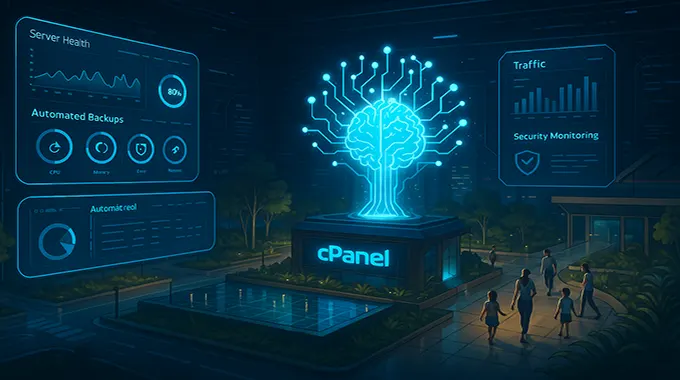
cPanel is a control panel for hosting accounts. It centralises file management, email, domains, databases, and security. Automation adds scripts and policies that run tasks without a person. Artificial intelligence adds prediction, pattern detection, and guided actions. Together they create AI hosting, where the platform sets sensible defaults, watches live signals, and recommends the next move.
What AI Changes Inside cPanel
AI can read logs, metrics, and tickets to predict risk and prevent outages. It proposes safe fixes and learns from outcomes. The aim is fewer clicks and cleaner operations.
Key shifts you can expect
- Guided setup wizards that validate DNS, TLS, and email authentication before launch
- Performance tuning that adjusts PHP workers, caches, and database limits based on live load
- Anomaly alerts that highlight real user impact instead of noisy averages
- Ticket suggestions that draft replies from knowledge base articles and recent incidents
Smart Provisioning and Scaling
Provisioning becomes data driven. When a plan is created, AI profiles the stack and right sizes CPU, RAM, and IOPS. If usage spikes in a region, autoscaling policies add capacity or move workloads closer to users. Backups inherit sensible schedules and are tested by restore drills.
Security follows the same pattern. Models learn normal behaviour for logins, file changes, and outbound mail. When something looks wrong, the system can stage a safe block, capture evidence, and open a case for a human to review.
Safer Operations and Compliance
Reliable change is the core of strong web hosting. AI helps teams ship updates with less risk by running pre-flight checks and rolling restarts during quiet traffic windows.
Good habits to bake in
- Use least privilege accounts and enforce multi-factor login
- Keep a versioned runbook that records playbooks and rollbacks
- Test restores weekly and keep an off-site copy of backups
- Publish a clear status page and an incident timeline after major events
Practical Use Cases You Can Try Now
Start small. Pick one task that hurts productivity and give it to the platform.
- Auto-repair of common WordPress faults, such as plugin conflicts or missing files
- CDN cache rules that the system tunes to raise hit ratio and cut the origin load
- Email deliverability checks that verify SPF, DKIM, DMARC, and block risky forwarding
- Energy-aware scheduling that moves scans and backups to cleaner grid hours
Measuring Value and Building Trust
Track the change like any project. Measure tickets closed per technician, time to resolve, p95 response time, and successful restore drills. Ask users about the task time saved. Publish improvements so stakeholders see progress and support the next phase.
Set quarterly goals. Target fewer alerts, faster restores, and better Core Web Vitals. Review vendors for privacy, data retention, and export options. Choose features that enhance service, not just dashboards.
Conclusion
The future of cPanel is guided, predictive, and accountable. Automation removes toil. AI makes smart choices visible and reversible. Start with clear outcomes, protect user data, and measure gains. Done well, AI hosting turns routine operations into steady growth and a better experience for every visitor.